
... content here ...
... more content ...
This guide explain how to disable Intro Movies in the Game
Disabling Intro Movies
To disable Intro Movies in the Game you need to go to
Steam Library -> Rogue Company -> Manage -> Browse local files ->
RogueCompany -> Content -> Movies,
then you need to rename file formats of next files:
Georgia_Peach.mp4, HiRezLogo.mp4, for example to Georgia_Peach.old, HiRezLogo.old.
... content here ...
... more content ...
After that changes the next launch of the game will starts without Intro Movies.
Path to the Movies folder:
Steam\steamapps\common\Rogue Company\RogueCompany\Content\Movies
The final look of the folder after changes will be like that:
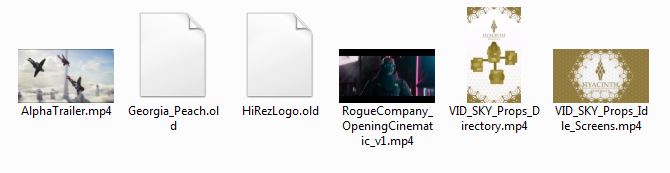
By Infernal
... content here ...
... more content ...


