
Managing the Captain’s boat becomes your primary spatial puzzle once you unlock multiple delivery destinations. When the Captain updates his schedule to service both Port Wendy and Sunny Shores sequentially within a single shift, a single misplaced parcel can compromise an entire day’s work.
The Shared Cargo Grid Strategy
Unlike local shelf delivery, loading the boat requires you to mix distinct regional shipments on a single, shared deck grid.
1. Visual Route Separation
Because the boat carries mixed cargo destined for two separate stops, you must group packages visually on the deck according to their destination markers. Do not mix them randomly.
-
Port Wendy: Standardize these on one side of the boat using their Blue or Yellow stamp indicators.
-
Sunny Shores: Standardize these on the opposite side using their Green or Pink stamp indicators.
2. Clearing the Backroom Stash
The primary reason your mailroom stays chronically cluttered with boxes is that the starting backroom stock is entirely composed of old outgoing mail waiting to be exported. Check the stamps already fixed to these boxes; if they have a Port Wendy or Sunny Shores design, they are cleared for immediate delivery. Load them onto the boat alongside daily walk-in customer packages to rapidly clear floor space and score massive chunk experience points.
Hard Physics Constraints: Stacking Rules and Height Bars
The boat deck operates under strict structural simulation rules. Ignoring the physical weight or height properties of your cargo will lead to damaged parcels and shipment rejection.
1. Heavy Bottom-Loading Mechanics
Small-profile packages can still possess the “Heavy” structural modifier (such as parcels for Cindy L. or Ghost). Because these small heavy packages look identical to lightweight packages, you must double-check their weight stamp indicators before stacking.
Placing a small heavy package on top of a larger, standard box will cause a hidden crush calculation, damaging the lower package during transit. Heavy items must always serve as the flat base plates directly touching the wooden deck floor.
2. Fragile Top-Loading Restrictions
Fragile boxes (marked with green thresholds or explicit fragile stamps) must occupy the absolute highest layer of your boat layout. You can safely bridge a fragile package across two adjacent small standard boxes to maximize your horizontal grid footprint, but you must ensure nothing is stacked on top of them.
3. The Boat Ceiling Height Barrier
The boat’s cargo grid has a strict vertical limit. If you stack boxes too high, the placement indicator box will turn a flashing Red, preventing the ship from departing. The maximum safe height is typically three standard medium boxes or two slim rectangular prisms.
Use the open floor space directly next to the dock as a pre-sorting staging lane. Group your items by route on the floor first, then tightly pack the grid using the largest heavy items as your base plates.
Advanced Stack Controls: The Tab Separation Trick
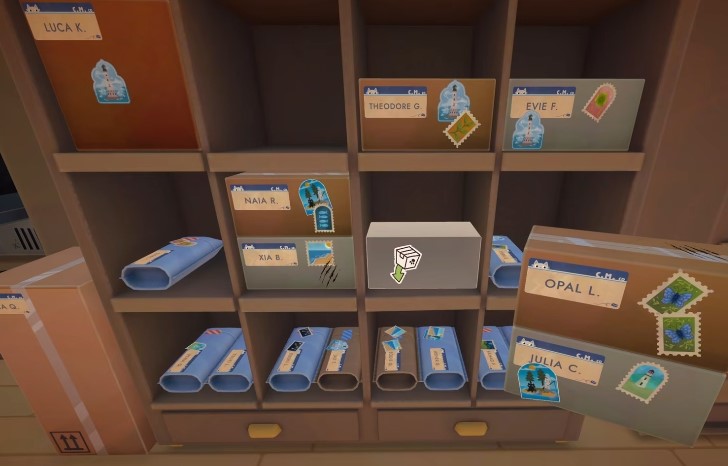
When moving massive amounts of cargo from the mailroom floor to the boat deck, carrying packages one by one is highly inefficient.
1. Bulk Transport
You can pick up an entire vertical stack of parcels simultaneously by interacting with the absolute bottom box of the pile.
2. The Tab Key Separator
While carrying a large multi-box stack, look at a target deck slot and press Tab. This system automatically detaches and drops only the single top parcel of your current stack onto the boat, leaving the remaining boxes securely in your hands. This allows for rapid, assembly-line style sorting across the boat’s cargo grid.
Troubleshooting FAQ
Q: Why didn’t the game show me a red indicator warning when I placed a heavy box on top of another package on the boat? A: The automatic red warning indicator primarily triggers for immediate vertical layout violations, such as stacking an object directly onto a Fragile box or exceeding the boat’s hard ceiling height. Hidden weight crushing risks—especially when placing small, heavy items on top of large standard boxes—do not always generate a red warning box. You must proactively track your heavy items manually based on their weight stamps.
Q: Can I store Sunny Shores packages inside the Cold Room overnight if the boat is full? A: Yes. Standard packages destined for Sunny Shores will not suffer any damage or negative score modifiers from being placed inside the Cold Room. The Cold Room functions as a perfectly safe universal storage area; only the reverse scenario (leaving designated Cold packages out in the warm main room) causes damage penalties.


