
This guide lists every Amiibo unlock in the game and the exact steps to scan one correctly, so you walk away with all four cosmetics instead of hunting for them one patch note at a time.
Overview – Amiibo in Splatoon Raiders
Amiibo support in this game is narrow but functional. There are exactly four outfits tied to Amiibo figures, and every one of them is cosmetic only — no stat boosts, no bonus weapons, no hidden currency.
The unlock process runs entirely through the in-game Style menu. You do not need internet connectivity beyond what the game already requires, and you do not need to redeem anything through an external app. Scan the figure, get the outfit, done.
How to Scan an Amiibo
The scanning flow is short. Here is the exact sequence:
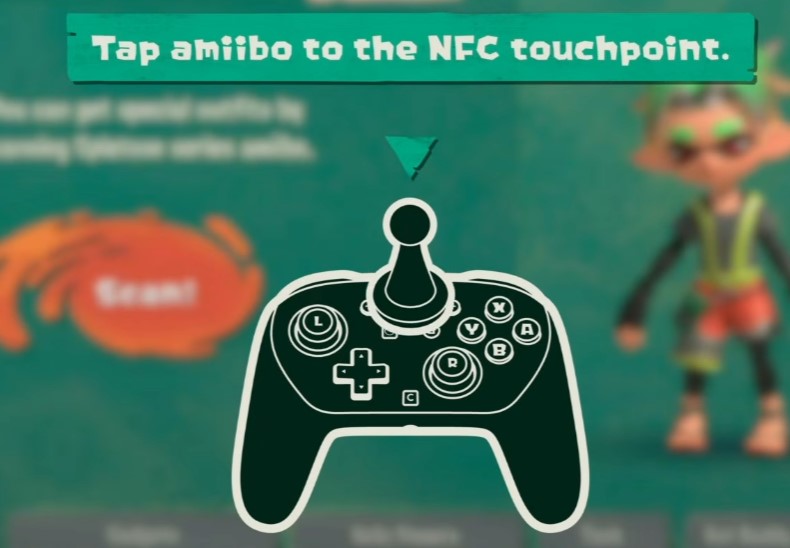
- Open the Gear menu from the main game interface.
- Navigate to the Style tab.
- Look for the Amiibo icon on screen — it is easy to miss on a first pass since it is small and tucked into the corner of the Style layout.
- Select the Amiibo option and scan your figure against your controller’s NFC point.
- The outfit unlocks immediately. No restart, no waiting period.
If the scan does not register on the first try, do not panic — repositioning the figure usually fixes it. More on that in the troubleshooting section below.
All Amiibo Unlocks – Outfits List
Here is the full list, matched to the specific figure required:
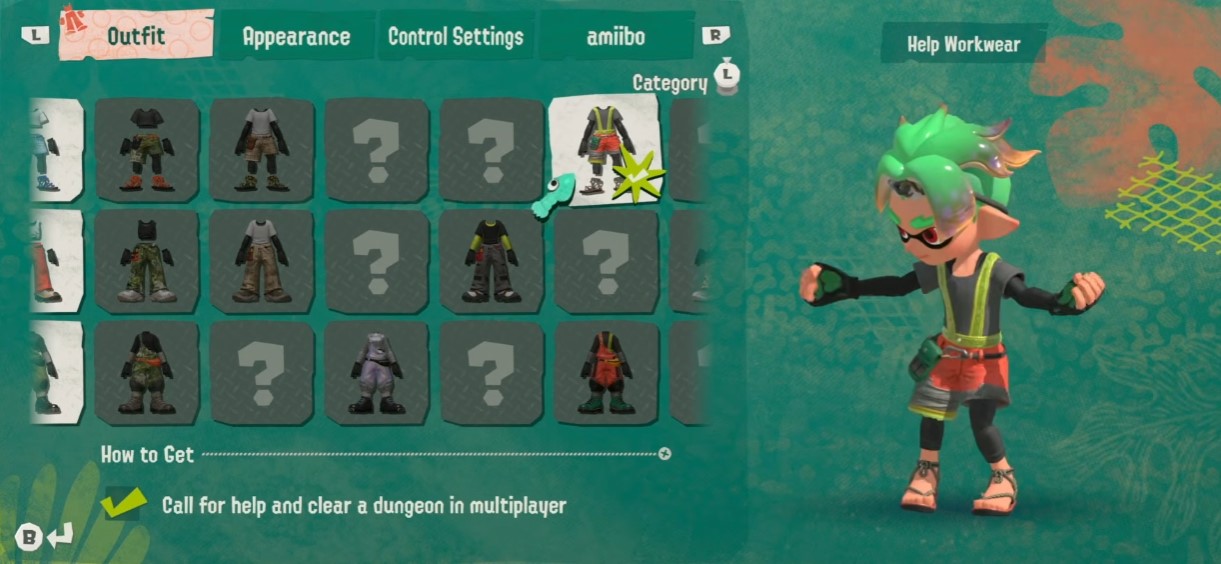
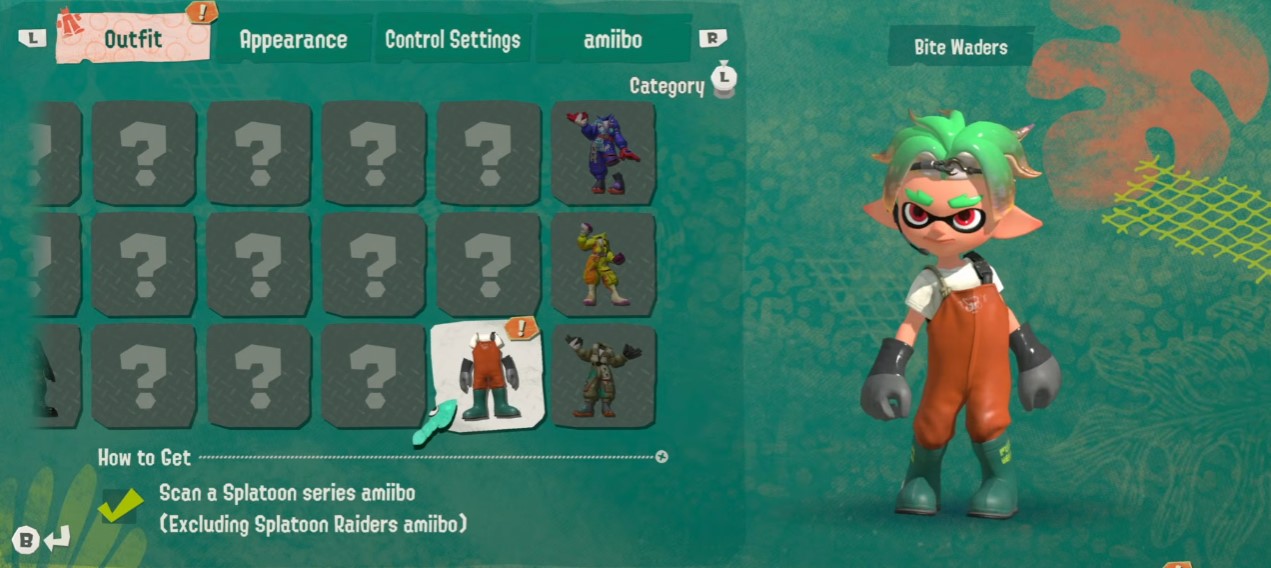
| Amiibo Figure | Outfit Unlocked |
|---|---|
| Any old Splatoon Amiibo | Generic Splatoon-themed outfit (Salmonid look) |
| Splatoon Rider Amiibo | Splatoon Rider outfit |
| Shiver Amiibo | Shiver outfit |
| Big Man Amiibo | Big Man outfit |
That is the complete list — four outfits, four figures. Worth repeating: these are cosmetic-only rewards. Nothing here touches weapons, abilities, or currency, so don’t go in expecting a stat advantage from scanning.
Tips & Notes
A few things worth knowing before you go shopping for figures:
- Only Splatoon series Amiibo work with this game. Figures from other franchises will not trigger an unlock, even if the NFC scan reads successfully.
- The Salmonid outfit, unlocked from any generic Splatoon Amiibo, is the most popular pick among players — mostly because it’s the cheapest entry point if you already own an older Amiibo from the original games.
- There is no fifth reward hiding somewhere. Four outfits is the ceiling. If you’ve got all four, you’ve got everything Amiibo support offers in this game.
Common Issues & Troubleshooting
Scan failures are almost always one of three things: bad figure data, blocked NFC antenna, or nearby interference.
If your amiibo throws an error or refuses to register, start by resetting the figure’s data. Go to your Nintendo Switch System Settings, select amiibo, and choose Reset amiibo. This clears any corrupted read from a previous scan attempt and gives the figure a clean slate.
Next, check your controller’s NFC antenna. Make sure nothing is covering it — cases, grips, and thick skins are common culprits. And move smartphones or smartwatches away from your setup before scanning. Both devices emit signals that interfere with NFC reads, and it’s a more common cause of failed scans than people expect.
If you’ve reset the figure and cleared interference and it still won’t scan, try a different Amiibo you know works to confirm it’s the figure and not the controller.


