
It is written for brand-new players who want a clear path through the first several hours without wasting money on the wrong upgrades or getting lost in the base-building menus. Whether you are still figuring out how to get back to base or you are ready to fire up the Mega Vacuum Rover, the sections ahead cover the core loop from first loot to jetpack.
Getting Started & Basic Looting
Your first session in Moon Sweepers is all about getting comfortable with movement, learning the interface, and building up a small pile of cash before anything dangerous comes your way. The opening loop is simple: leave the base, run outward, grab everything you can find, and use the map to make it home. Treat the first half hour to an hour as a scouting phase rather than a combat phase.
Leaving the Base and Exploring
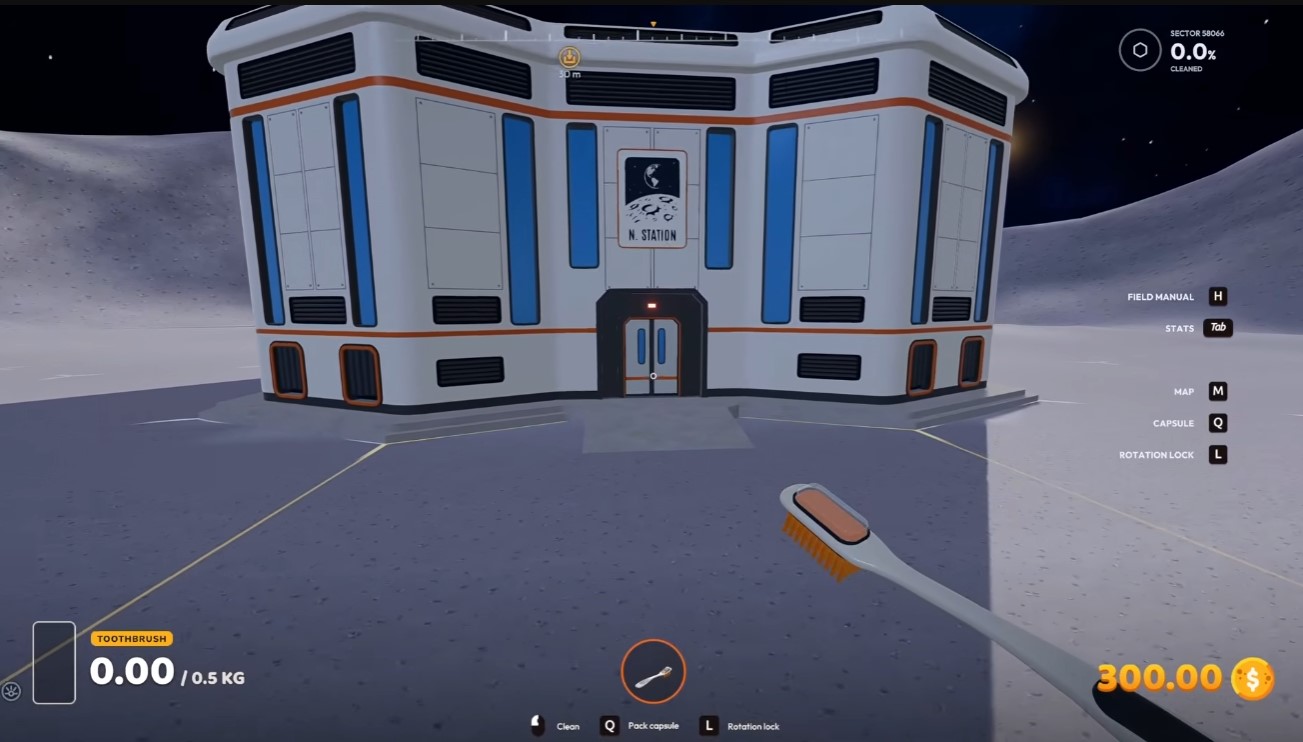
Step out of the base and pick a single direction, then commit to it. Running in a straight line is the fastest way to cover ground and stumble onto loot and flags without doubling back over empty terrain. Don’t zigzag or circle the base — the rewards are spread out, so distance is your friend early on.
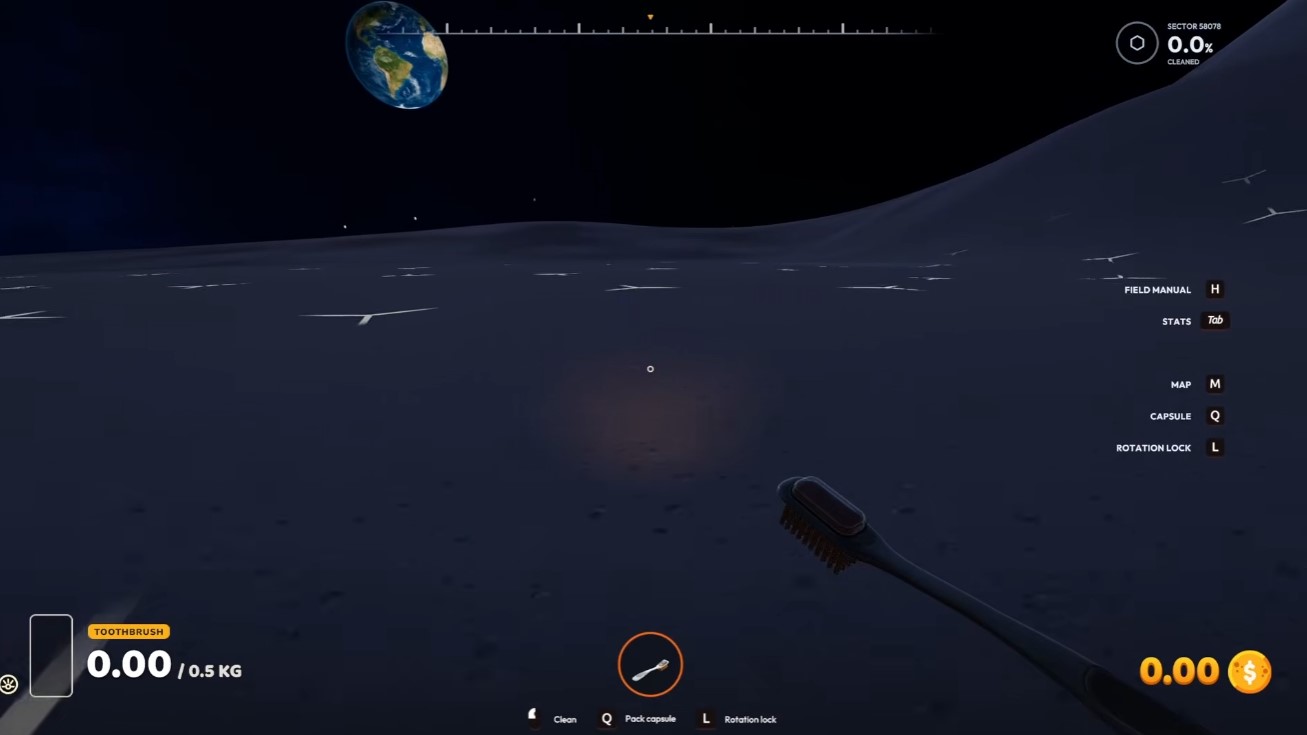
Before you sprint off, get the controls under your fingers. These hotkeys will save you a lot of confusion:
- N — toggles the nightlight, useful for seeing in dark areas.
- Tab — opens your stats so you can check your current state at a glance.
- H — brings up the field manual, your in-game reference for mechanics.
- G — toggles the grid overlay, handy for judging distance and orientation.
- F5 — toggles the UI, letting you clear the screen for a cleaner view.
If you ever feel lost or unsure what a mechanic does, press H for the field manual before guessing. It’s the quickest way to answer your own questions mid-run.
Looting Flags for Easy Money
Flags are your earliest and most reliable income source. When you spot one, walk up to it and press E to untangle it. Each flag you free puts $200 in your pocket — a meaningful chunk of starting cash when you’re collecting several in a row.

Spend your first 30 to 60 minutes doing exactly this: roam outward, untangle every flag you pass, and scoop up any loose loot along the way. Don’t rush toward danger or try to be efficient with a route yet. The goal is volume — more flags cleared means more money to spend on whatever you need next.
- Approach the flag closely before pressing E; you need to be in range to untangle it.
- Each flag pays a flat $200, so chain them together for a fast early bankroll.
- Grab surrounding loot while you’re there — no reason to leave anything behind.
Finding Your Way Back to Base
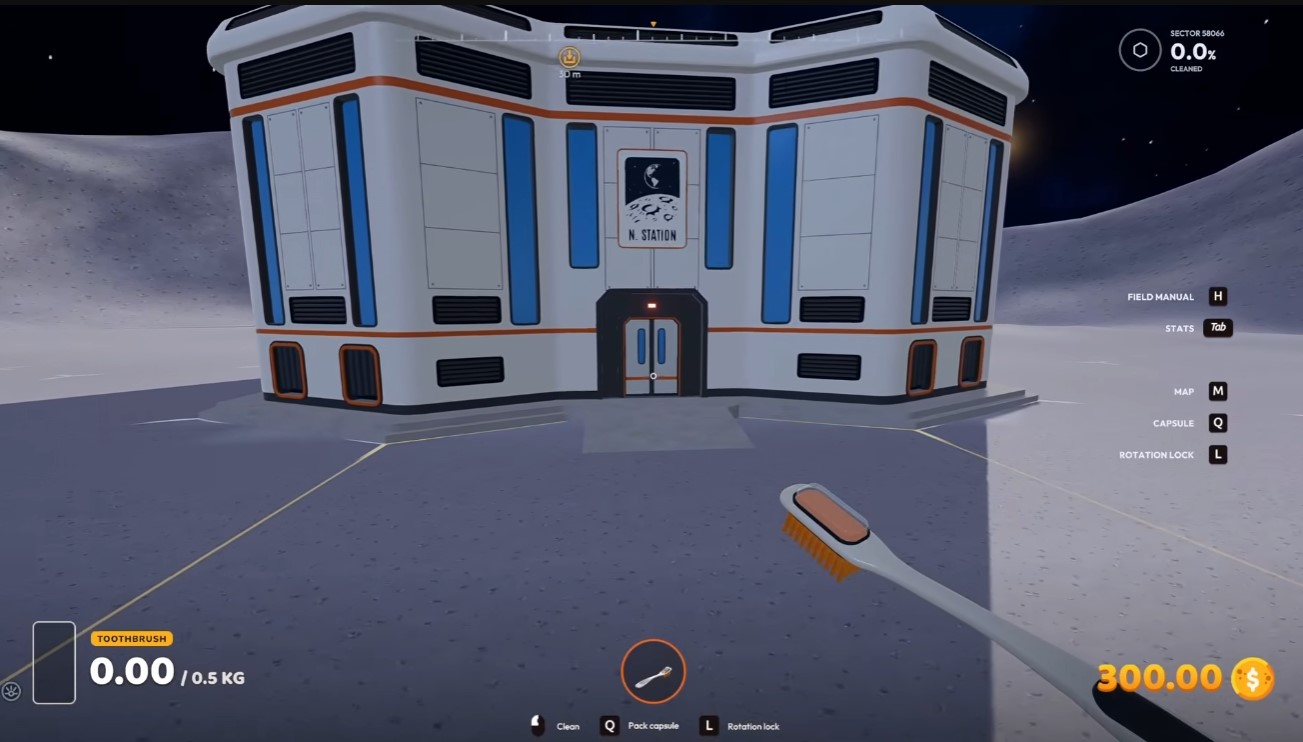
The map at the top of your screen always points back toward your base, so you’re never truly lost. Glance at it whenever you change direction to keep your bearings. If you wander far enough out, a second base will appear on your HUD — a useful safety net when the original is too far to reach comfortably.
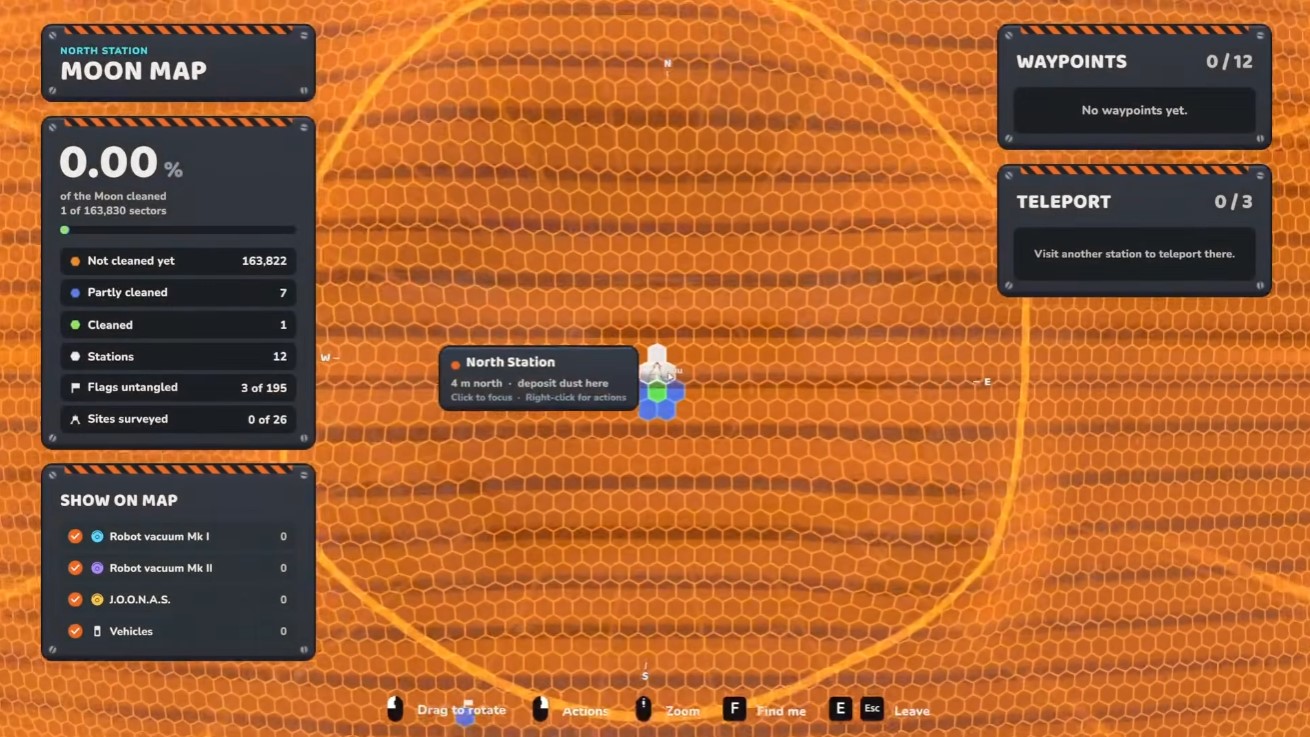
Get into the habit of checking the map before you push deeper into the world. Knowing where home is at all times means you can bail out early if things get risky, and it keeps your exploration productive instead of turning into a long, aimless trek back.
Broom Upgrades & Efficient Cleaning
Your broom is the single most important tool in Moon Sweepers, and the money you earn early on should almost always go straight back into it. A better broom cleans faster, holds more dust, and lets you clear honeycomb regions in fewer passes — which in turn pays for the next round of upgrades. Treat this chapter as your upgrade loop: buy, clean, cash in, repeat.
Investing in the Wide Broom and Upgrades
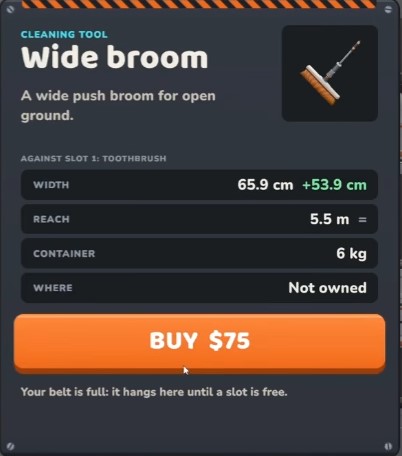
The first major milestone is unlocking the wide broom. Its broader cleaning arc covers more ground per sweep, so you spend less time chasing stray dust and more time clearing honeycombs. Once the wide broom is in hand, keep pouring money into the two upgrades that matter most:
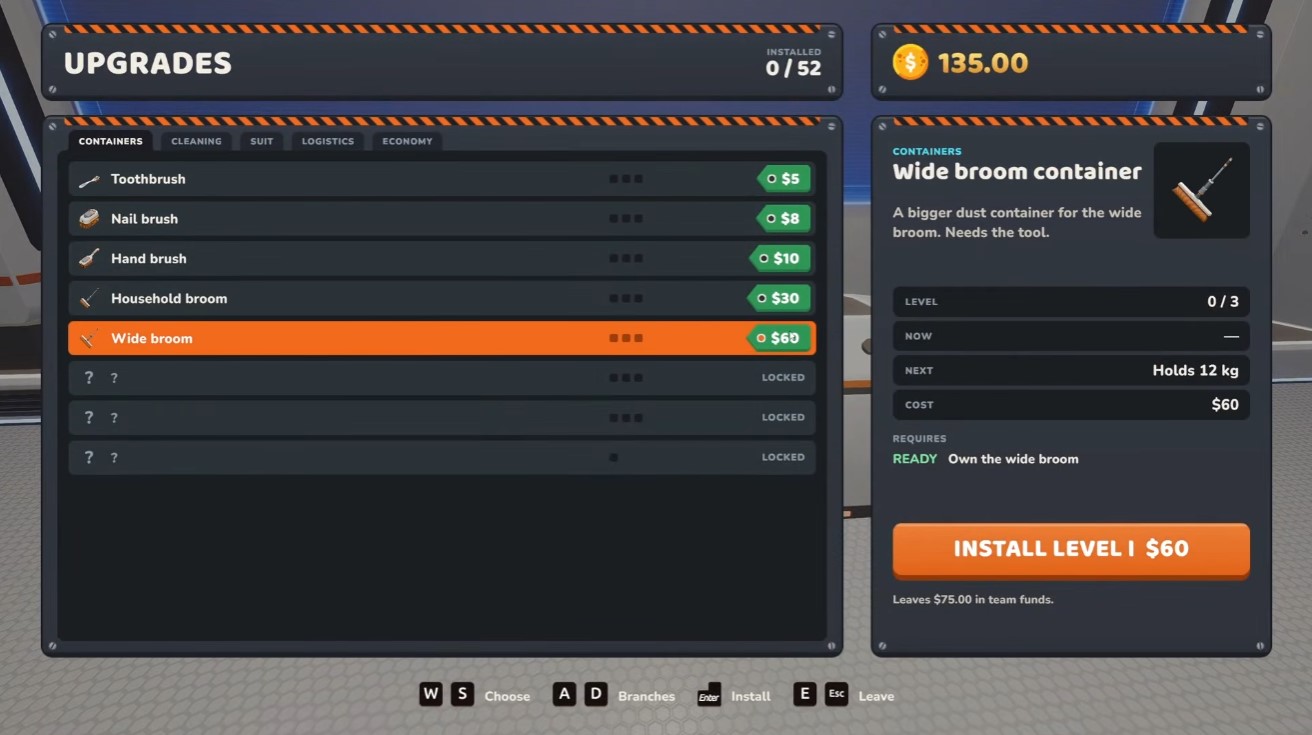
- Dust container capacity — a larger tank means fewer trips back to base to empty out. This is the upgrade that saves you the most time over a full region.
- Broom coverage — widening your sweep lets you clear lanes in fewer passes and makes tight honeycomb layouts far less fiddly.
After those two are comfortable, use whatever money remains to expand capacity further. There is no harm in over-investing here — every point of extra storage and coverage compounds across every region you clean afterward.
Prioritize capacity and coverage over cosmetic or minor upgrades. Time spent walking back to base to empty a small tank is time you could be spending earning money.
Cleaning Areas Efficiently
Raw broom power only gets you so far — how you move matters just as much. Two habits will dramatically speed up your clears:
- Trace the honeycomb outlines first. Follow the lines around each honeycomb shape to break up the dust structure, then sweep the interior.
- Sweep in lanes. Once the outlines are broken, work back and forth in straight, overlapping lanes rather than wandering. This clears dust quickly and ensures you don’t leave patches behind.
Keep an eye on your dust container as you go. When it fills up, head back to the base and empty it — a full tank stops you from collecting more, so emptying promptly keeps your momentum going. Combine lane sweeping with regular base trips and you’ll clear regions in a fraction of the time.
Region Rewards and the Upgrade Loop
Every honeycomb you clear contributes to finishing the region, and completing a region pays out in two ways: a lump sum of money and roughly 30 kg of resources per honeycomb cleared. That payout is what fuels your next round of broom upgrades.
The rhythm to internalize is simple: clear honeycombs efficiently, finish the region, collect your money and resources, then immediately reinvest in capacity and coverage. Each completed region makes the next one faster, and the faster you clear, the more regions you can finish — a snowball that keeps your broom ahead of the difficulty curve.
Base Facilities & Automation
Once your first cleaning runs start paying out, the real work shifts from sweeping dust to building a base that sweeps for you. This chapter covers the upgrade categories worth your money, how to jump between unlocked facilities without walking, and the conveyor logic that turns a messy pile of machines into a self-running production line.
Upgrade Categories and What They Do
Upgrades are split into a handful of tracks, and each one solves a different bottleneck. Spend early money on the track that matches whatever is currently slowing you down — usually dust capacity or cleaning swath — then branch out as your operation grows.
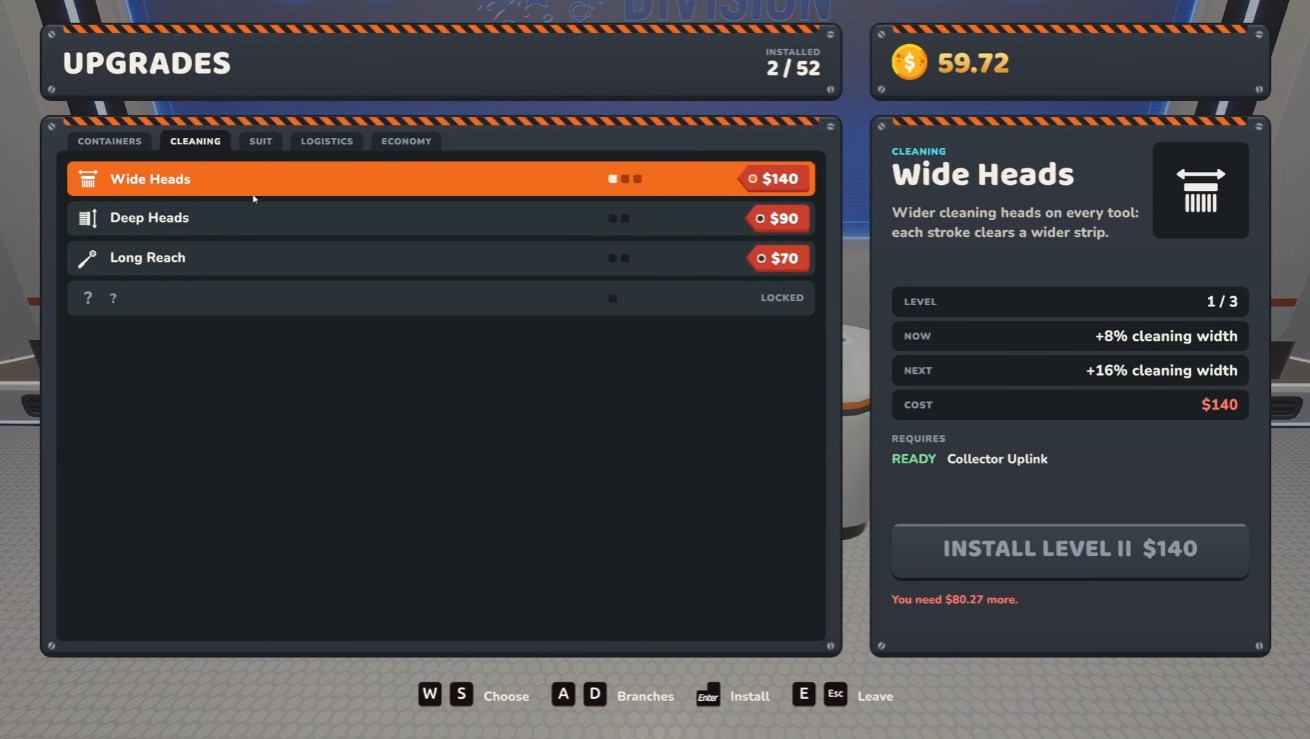
- Upgrade containers — raises dust capacity, so you can stay out on a run longer before hauling back to base.
- Cleaning — widens your tool swath, letting each pass clear more ground and boosting overall throughput.
- Suit — improves your personal gear, keeping you effective during longer or tougher cleaning routes.
- Logistics — increases transfer speed, which matters once conveyors and machines are moving material for you.
- Economy — adds a bonus per square, directly increasing the payout from every area you clean.
If your runs keep ending early because your container fills up, container capacity is the cheapest fix. If you are finishing runs with empty space but low income, economy and cleaning swath pay off faster.
Teleporting Between Facilities
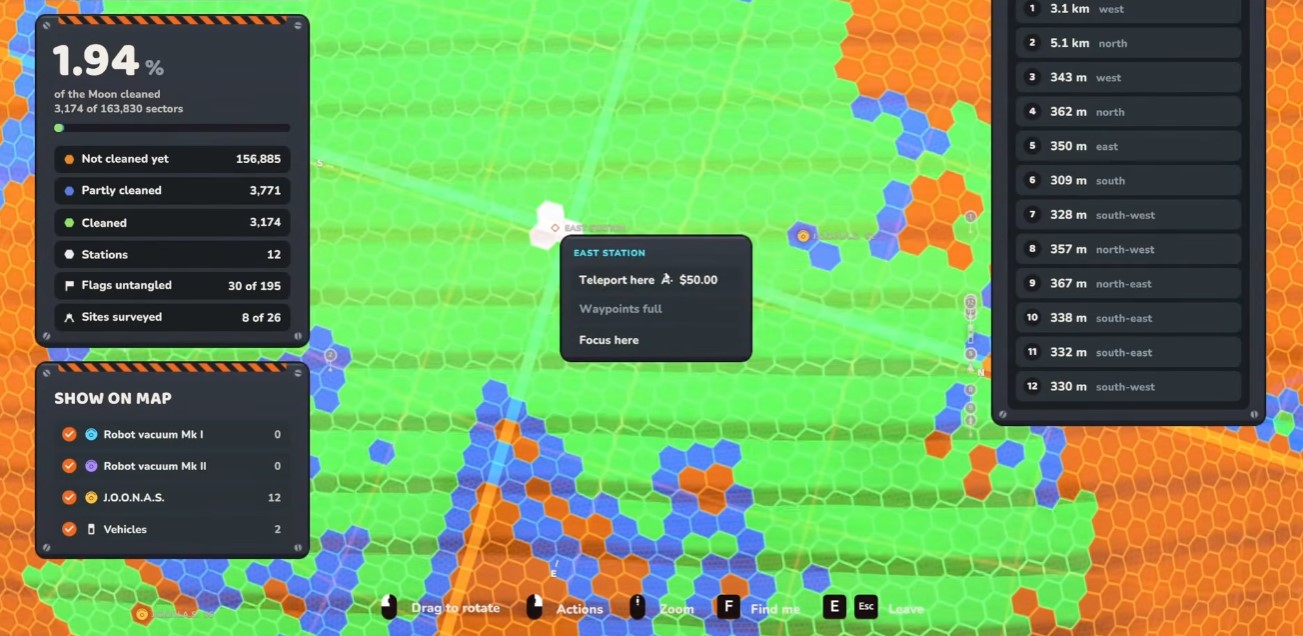
You do not need to walk between stations. Zoom in on the map, right-click the station you want, and select the teleport option to travel instantly to any facility you have already unlocked. Use this to bounce between your base, production areas, and cleaning routes without burning time on travel — especially handy when you need to check on a line or grab an upgrade before heading back out.
Mergers, Splitters, and Overflow Lines
Mergers and splitters are the backbone of any automated setup. Place them directly on your conveyors to combine incoming streams or fan a single stream out into several. The scroll wheel changes the output direction, so you can route material exactly where it needs to go without rebuilding the line.
- Mergers combine two or more conveyor streams into one — useful for consolidating output before a machine or storage.
- Splitters divide one stream into multiple outputs — ideal for feeding several machines from a single source.
- Output direction is adjusted with the scroll wheel, letting you aim each branch precisely.
A reliable pattern is an overflow line: run your main stream through a splitter so the primary machine gets first pick, and route the excess down a secondary branch. That way a backed-up machine never stalls the whole conveyor, and surplus material keeps flowing instead of piling up.

Build your lines with overflow in mind from the start. A splitter feeding a priority branch plus an overflow branch saves you from tearing down and rebuilding the moment one machine fills up.
Vehicles & Mega Vacuum Rover
Once your base is running, the garage becomes your launchpad for large-scale cleaning. Vehicles let you cover far more ground than you could on foot, and the Mega Vacuum Rover is the centerpiece of that effort. This chapter covers buying and recalling vehicles, driving the Rover, and keeping your production flowing with overflow lines.
Buying and Recalling Vehicles
Head to the garage to purchase vehicles. Every vehicle you own can be called back to you at any time, so you never need to worry about stranding one across the map. Each vehicle also comes with its own set of upgrades, meaning the investment keeps paying off as you progress.
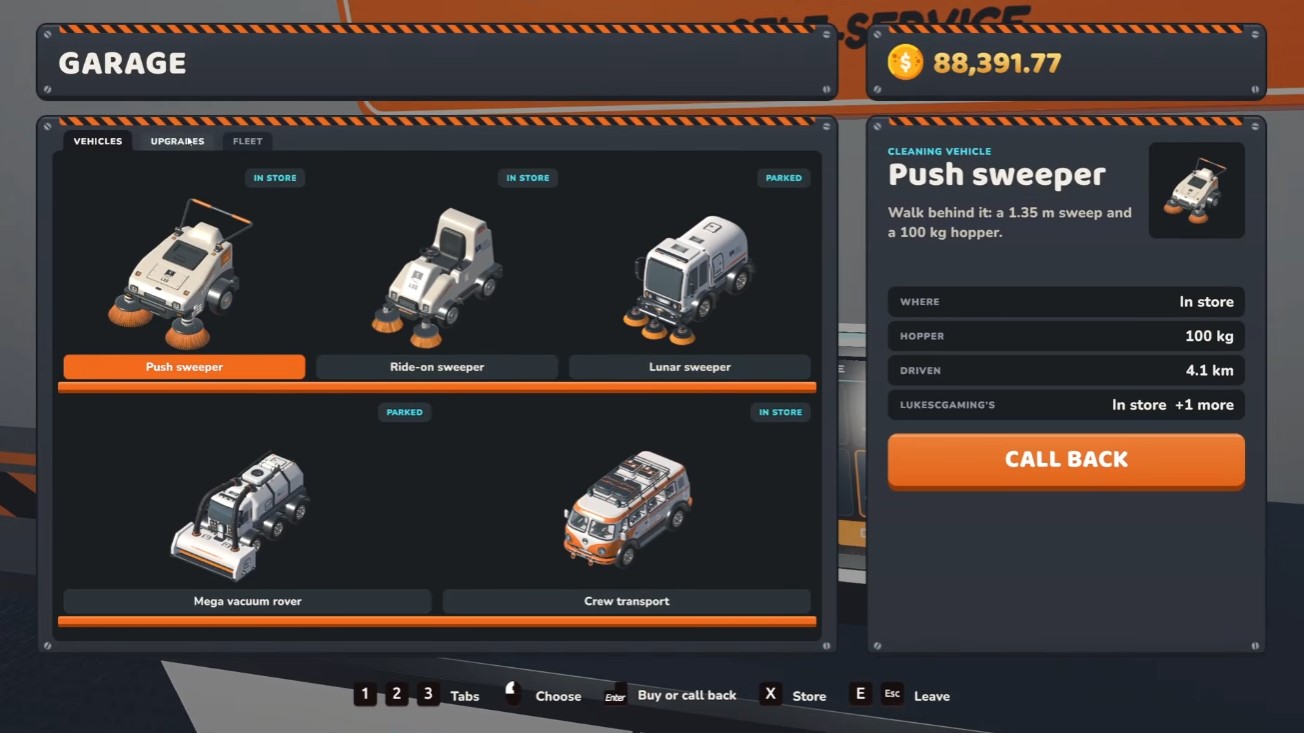
- Purchase vehicles directly from the garage.
- Recall any owned vehicle whenever you need it.
- Check each vehicle’s upgrade options to get the most out of it.
Driving the Mega Vacuum Rover
The Mega Vacuum Rover is built for bulk cleaning, and its controls are quick to learn. Use the scroll wheel to adjust suction strength, ranging from eco mode up to full power, so you can balance speed against how much you pull in. Press Shift to boost when you need to cross ground quickly, and toggle L for lights when visibility drops. Press F to enter or exit the vehicle.
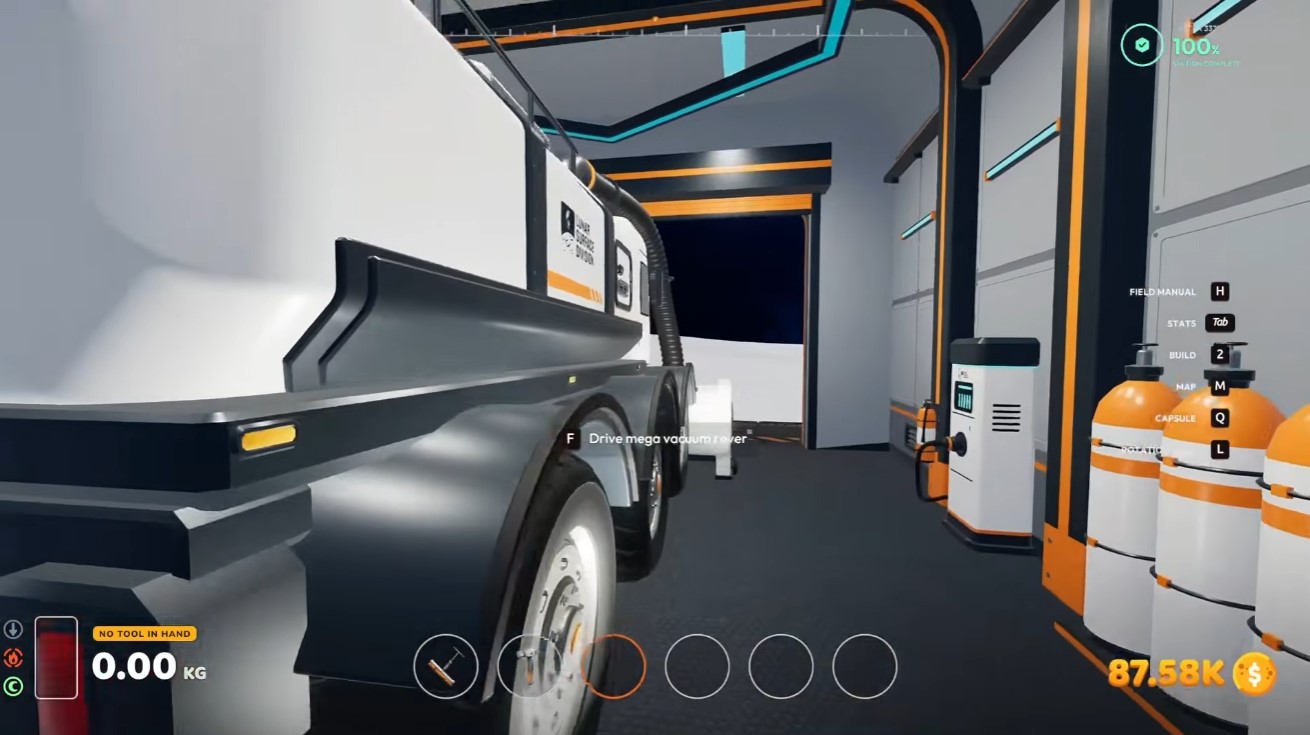
Cruise control is a handy unlockable that lets you maintain speed without holding the throttle, freeing you to focus on steering and suction. When the Rover fills up, drive it back to the garage chute to empty it before heading out again.
Empty the Rover at the garage chute regularly. A full tank means wasted suction time, so plan your routes to loop back to the chute before you hit capacity.
Overflow Lines and Keeping Production Flowing
As your operation grows, you will accumulate excess lower-tier products that can clog up your workflow. Set up overflow lines to sell that surplus instead of letting it pile up. For the garage specifically, route lunar dust into a chute so it drains away and production keeps moving.
- Create overflow lines to offload surplus low-tier goods.
- Route lunar dust to a chute near the garage to prevent backups.
- Keep an eye on flow so nothing stalls your production chain.
Advanced Base Building & Power
Once your first machines are humming, the real work of scaling up begins. This chapter covers the systems that let your base run itself: autonomous cleaners, efficient power generation, smarter map reading, and flexible construction for reaching new ground. Get these fundamentals right and your operation will grow without constant babysitting.
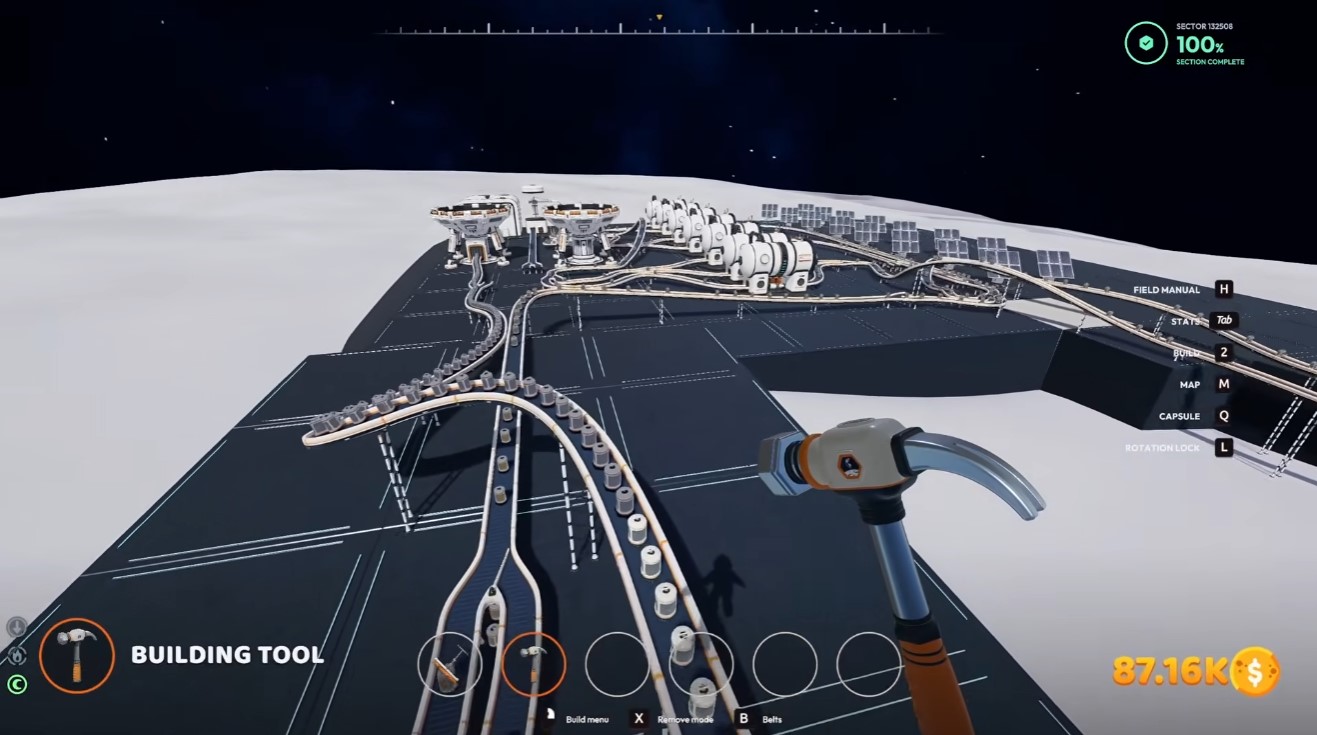
Automating Cleanup with Junas and Capsule Catchers
Junas are autonomous cleaners that handle sweeping for you, but they can’t operate in a vacuum. To put them to work, you first need to build a capsule catcher. Once it’s in place, Junas will collect pods and fire them back to the machine automatically, keeping the collection loop running hands-free.
- Build a capsule catcher before deploying Junas — without it, they have nowhere to send their pods.
- Let the Junas do the sweeping while you focus on expansion and machine management.
- Treat the catcher as the anchor of your automated cleanup route.
Powering Machines with Large Solar Panels
Power is the bottleneck that stalls most growing bases, so standardize on large solar panels rather than smaller alternatives. Match your panel count to each machine’s draw so nothing runs underpowered.
- Pressure chambers: place two large solar panels per chamber for sufficient power.
- Stone presses: place three large solar panels per press to keep them running at full capacity.
Stick to large solar panels only. Under-powering a machine wastes time and stalls your production chain — always meet the two-per-chamber and three-per-press benchmarks.
Reading the Map and Building Across the Terrain
Navigation and construction go hand in hand as your base spreads out. Use your map tools to plan routes, then build the structures that connect them.
Cycling Map Views
Press M to cycle through the blown-out map views. These give you a clearer read on your surroundings, and you can keep driving your vehicle while these views are active — so there’s no need to stop moving to check your bearings.
Platforms and Ramps
When you need to cross gaps or reach elevated ground, construction is your answer. You can choose from five platform styles to suit the terrain, and building ramps lets you close gaps that would otherwise block your route.

- Pick the platform style that fits the gap or elevation you’re bridging.
- Use ramps to connect separated areas and keep your vehicle routes flowing.
- If a build is blocked, clear the dust in that area first — then place your structure.
Blocked construction almost always means dust is in the way. Clear it before retrying the build rather than repositioning blindly.
Factory Floor & Mobility Tools
By this point you have the core loop down, so the final chapter is about turning a messy area into a productive one and then layering on the movement upgrades that make late-game exploration far less painful. The two ideas work together: a clean, well-shaped factory floor keeps your resources flowing, while super boots, night vision, and the jetpack let you reach and clear areas that were previously out of reach.
Building a Strong Factory Floor
A factory floor is only as good as the ground beneath it. Before you start laying anything down, clear every speck of dust in the area you are working on — leftover dust blocks clean placement and drags down the efficiency of whatever you build on top of it.
- Clear all dust in the target area first, then confirm the ground is fully clean before building.
- Build a ramp up to establish a strong factory floor; the ramp gives you the elevation and shape needed for a productive setup.
- Rinse and repeat the clear-and-ramp process as you expand, so each new section starts from clean ground.
Treat “clear dust, then ramp” as a routine rather than a one-time task. Repeating it section by section keeps your factory floor strong and prevents bottlenecks as you scale up.
Super Boots and Night Vision
Once unlocked, super boots and the related gravity toggle become part of your moment-to-moment movement. Press B to toggle Earth gravity (if you have unlocked it) and to toggle the super boots on and off. Use it deliberately — flipping gravity changes how you traverse and how your factory floor behaves, so toggle it with intent rather than leaving it in the wrong state.
Night vision is handled with the N key. Press N to toggle your night light, and press N again while it is night to switch over to night vision. This is the difference between fumbling around in the dark and actually seeing what you are clearing, so get comfortable cycling through the light states.
- B — toggle Earth gravity (if unlocked) and toggle super boots.
- N — toggle night light; press again at night for night vision.
Flying with the Jetpack
The jetpack is the biggest traversal upgrade in this stretch of the game. Once you have it, press the space bar to activate it and press it again to deactivate. The key limitation to plan around is fuel: the jetpack has four charges, shown in the bottom-left of the screen, and those charges only recharge while you are on the ground.
- Activate and deactivate with the space bar — tap again to cut thrust when you have reached your target.
- Watch the four-charge meter in the bottom left before committing to a long flight.
- Land deliberately to recharge; hovering or chaining flights without touching down will leave you empty.
Plan jetpack routes around landing spots. Because charges only refill on the ground, the safest approach is to fly in short hops between solid ground rather than one long burn into the unknown.
With a clean factory floor feeding your resources and the full mobility kit unlocked, you can move through the map quickly, see clearly at night, and reach elevated or distant areas that were previously blocked off. That combination is what carries you through the rest of your run.
Tips & Optional Content
Make Cleaning Pay Off
Cleaning is your primary income source, so treat efficiency as a money stat. Sweep in wide, overlapping passes rather than chasing individual spots, and finish a region completely whenever you can — region completion rewards are worth more than the loose cash you pick up along the way.
- Clear high-traffic areas near your base first so your return trips stay short.
- Bank a cleaning run before spending; upgrades compound faster than one-off purchases.
- Watch for region completion prompts — finishing the last patch often triggers the biggest payout.
Untangle Your Conveyor Lines
Automation is where most beginners stall. Keep three rules in mind: mergers combine matching items into higher tiers, splitters divide a single line into multiple outputs, and overflow lines catch anything that would otherwise jam a machine. Build overflow first — a backed-up line stops earning entirely.
If a machine stops producing, the problem is almost always downstream. Trace the line forward to the first full container before buying more upstream equipment.
Master the Mega Vacuum Rover
The Mega Vacuum Rover is your large-scale cleaning tool and the fastest way to clear big zones. Drive in slow, sweeping arcs and let the vacuum radius do the work instead of zig-zagging. Save it for dense areas — using it on scattered debris wastes its coverage.
Set Up Junas and Capsule Catchers Early
Junas are a core resource, and capsule catchers are the non-obvious part of collecting them. Build catchers before you feel the shortage, position them where capsules actually land, and check them regularly. A missed catcher is silent lost income, not a visible error.
Plan Power Before You Expand
Advanced facilities need power, and large solar panels are your main source. Place panels where they stay exposed, add capacity ahead of new machines rather than after, and keep an eye on output as your base grows — an underpowered facility is dead weight.
Build Smart: Platforms, Ramps, and Factory Floors
Structures organize your base and unlock new areas. Lay factory floors flat and level first, then connect levels with ramps that line up cleanly with walkways. Beginners lose the most time to misaligned ramps — build the ramp, test the climb, then commit to the layout.
Grab the Mobility Tools
Super boots, night vision, and the jetpack are easy to miss but transform traversal. Super boots speed up every looting run, night vision opens up dark areas you would otherwise skip, and the jetpack shortcuts vertical routes entirely. Pick these up as soon as they are affordable — they pay for themselves in saved travel time.
Conclusion
Moon Sweepers rewards a tight loop: loot flags, upgrade your broom, clean regions to completion, then reinvest into automation and base infrastructure. Get the wide broom and mobility tools early, keep your conveyor lines flowing with overflow, and stay ahead of your power needs. Do that, and the Mega Vacuum Rover, factory floors, and late-game expansion all become natural next steps rather than roadblocks.


