
Five hours into a Big Walk session, you realize the group has split into three factions, nobody remembers who has the flashlight, and someone just fell off a cliff carrying the only walkie-talkie. This is the normal Tuesday-night experience for most groups — and it’s completely avoidable. This guide distills 10 advanced tips into four core pillars: communication, inventory management, environmental awareness, and group coordination. Master these and your co-op runs stop feeling like herding cats and start feeling like the tightly-tuned puzzle game Big Walk actually is.
Overview
Big Walk looks simple on the surface: walk, explore, solve the occasional puzzle with friends. Underneath that is a genuinely deep system built around proximity chat limitations, item scarcity, and physical cooperation. The tips below come from an experienced player who has run this game with groups ranging from 2 to 12 people, and they cover the exact friction points that turn a fun session into a frustrating one.
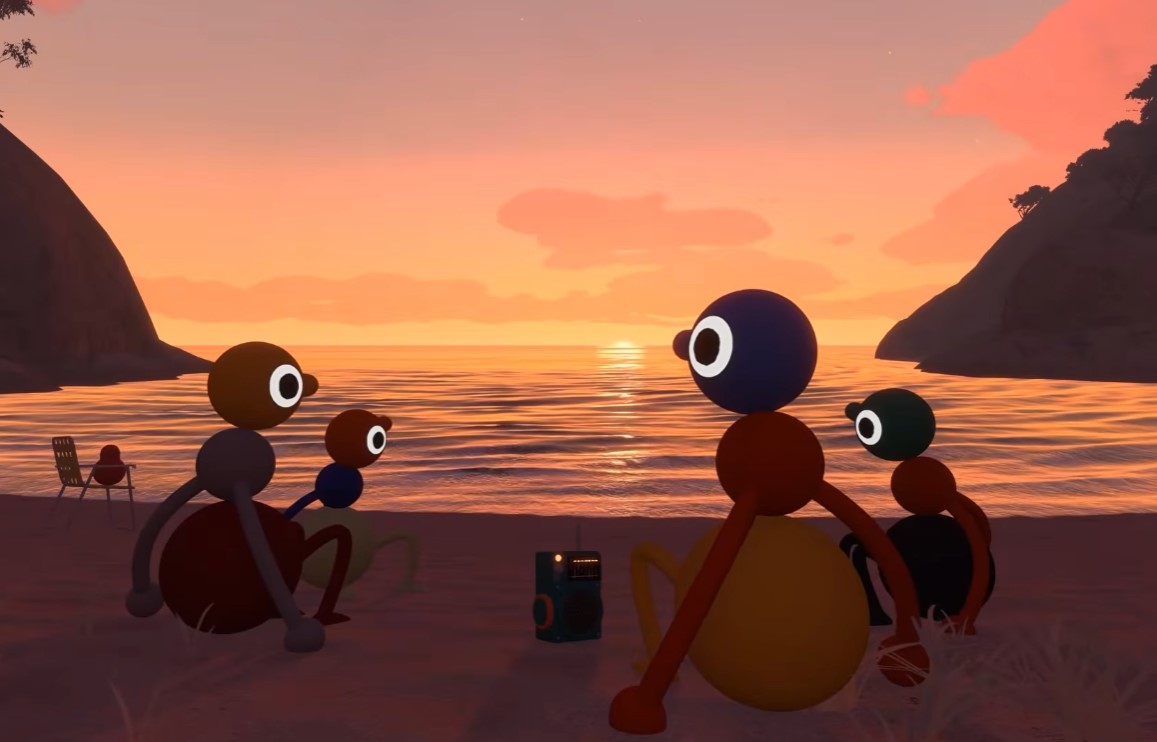
The goal isn’t to speedrun the content. It’s to help you stop wasting time on avoidable chaos so you can actually experience what the game is built around: forced, creative communication between real people in a shared physical space.
Tip 1: Prioritize Walkie-Talkies and Backpacks
Walkie-talkies are not optional gear — they are the backbone of the entire game. Proximity chat works fine when everyone is standing in a tight cluster, but the moment your group splits to explore two paths, that system collapses instantly.
Backpacks solve the second half of the problem: item capacity. Without one, you’re stuck choosing between a flashlight or a walkie-talkie. With a backpack, you can carry both plus a reserve item.
| Item | Problem it solves | Priority |
|---|---|---|
| Walkie-talkie | Breaks proximity chat range limit | Highest |
| Backpack | Solves carry-capacity limit | Highest |
| Flashlight | Night visibility | High |
| Lamp | Marks explored routes | Medium |
Get one of each combo per squad before doing anything else. It eliminates the “who’s holding what” argument permanently.
Tip 2: Never Use Discord or External Voice Chat
The official FAQ is explicit about this: using Discord, Steam Voice, or any external chat app is not allowed. Big Walk’s puzzles are engineered around proximity chat’s limitations — soundproof glass, distance cutoffs, and one-way communication zones are all intentional design elements.
The in-game system already has noise cancellation and a dedicated mute button, so there’s no technical excuse to route around it. Bypassing proximity chat doesn’t just break a rule; it trivializes puzzles that are supposed to force creative problem-solving.
Warning: Playing with Discord open in the background technically works, but it removes the entire reason the game’s communication puzzles exist. You’ll finish faster and remember almost nothing.
Tip 3: Master Arm Gestures with Precision
Once you accept proximity-chat-only rules, gestures become your backup language. Soundproof glass puzzles cut off audio entirely, and that’s when a well-drilled group pulls ahead of a disorganized one.
Advanced groups develop layered signals:
- Left arm = direction
- Both arms raised = confirm action
- Flashlight blink = urgent decision override
This isn’t flavor text — it’s a functional communication protocol your group needs before hitting a silent puzzle, not during one.
Tip 4: Use the Day and Night Cycle to Your Advantage
Daytime Big Walk is forgiving. Nighttime is genuinely dark, and navigation without preparation turns into guesswork. Get flashlights and lamps early, and use lamps in receptacles to mark a visible trail as your team explores.
Here’s the part that actually costs people progress: falling from height causes zero fall damage, but you drop everything you’re carrying. Losing a walkie-talkie or flashlight into the dark below is a real setback, not a minor inconvenience.
Treat night as a discipline phase — light source in hand, marked trail behind you, no risky jumps while carrying gear you can’t afford to lose.
Tip 5: Learn the Art of Stacking Players
Stacking is a core mechanic, not an occasional gimmick. High buttons and out-of-reach interactions are the game’s way of forcing organization.
| Group Size | Puzzle Difficulty Shift |
|---|---|
| 2 players | Straightforward stacking |
| 3-4 players | Balance and coordination heavy |
| 5+ players | Communication becomes the real challenge |
The bottom player needs to hold a stable base — that’s the entire foundation of the stack. The top player has to move fast and interact precisely once they’re up there. Practicing this in low-stakes areas before hitting a hard puzzle saves a lot of frustration later.
Tip 6: Strategically Divide Tasks in Larger Groups
Walking as one 8-12 person block is slow, chaotic, and inefficient. Split into squads of 2-3 instead. Each squad explores a different section, reports findings, and regroups.
Agree on meeting points before splitting — towers, flares, or a megaphone signal work well for resyncing a scattered group.
Note: Main puzzles are designed for a maximum of 4 players. In a 10-person lobby, only a small squad should be actively solving while everyone else explores ahead or preps the next area.
Tip 7: Observe the Environment for Shortcuts and Missable Items
Big Walk’s map has an outback, hand-built aesthetic where details hide solutions. The obvious path in front of you is often not the best one.
Climb towers or rocks for a vantage point, and use binoculars to flag anything unusual at a distance. Missable items — puzzle pieces, useful objects, alternative solutions — sit in areas that look unimportant at first glance. Carrying an item from one puzzle to solve another is common and rewarded.
Tip 8: Do Not Rush to Beat the Game
The slow pace isn’t a lack of content — it is the content. Watching a sunset together, messing with ragdoll physics, pushing a friend down a hill, spending five minutes hunting for a dropped item: these moments are the actual game.
Treat Big Walk like a checklist and you’ll burn through it in a few sessions with nothing to show for it. Treat it like a place you’re spending time with people, and it becomes something else entirely.
Tip 9: The Host Controls the Save and World Version
Whoever hosts carries the save file and defines how the world behaves. This decision matters more than groups usually think.
- Choose someone consistent — if the host disappears, the whole group’s progress is locked.
- World configuration (set for 2, 3, or more players at the start) changes puzzle layout and environment interaction. This is design, not just difficulty scaling.
- If your group isn’t fixed session to session, start with a smaller configuration to avoid mismatched save states later.
Tip 10: Create Alternative Communication Systems Before You Need Them
Your group will get separated. There’s no time to improvise signals mid-puzzle, so agree on a system in advance.
| Signal | Meaning |
|---|---|
| Laser pointer | Direction / urgency |
| Flashing flashlight | Voice substitute in the dark |
| Cowbell | Emotional check-in / radar |
| Three flashes | “I’m ready” |
| Red flare | “Get here right now” |
Groups that build their own dialect out of basic items end up with something more satisfying than most traditional co-op mechanics: instant mutual understanding without a word spoken.
Bonus: Deep-Dive Mechanics
These systems come up constantly once you’ve internalized the ten tips above, and they’re worth knowing before you stumble into them blind.
Finding the Map
The map is both a physical item and a physical location, and it’s essential for tracking backpacks, radio stations, and red totems.
- Clear the starting area puzzles first — this unlocks access to the wider map.
- Head toward the large red tower; it’s your main landmark.
- Collect five red totems from puzzles around the starting area to earn a key.
- Climb to the top of the red tower area for a second key.
- Take the key to five key cutter points scattered around the area (key cutters 4 and 5 are the final stretch).
- After using key cutter 5, a blue tunnel appears, leading to the map room.
- Place the key in the slot to open it.
Inside, you’ll find a scale model showing flags over completed locations (incomplete ones show an empty flag pole), plus a physical map with a compass for coordinate-based puzzles. The physical map does not show your current position — check the top-right corner for your current subsection instead.
Tip: Finding the map unlocks the Big Views achievement, so it’s worth prioritizing even if you’re not chasing 100% completion.
The Train System
The train is unlocked by inserting five dials into the top of the blue lighthouse, then following marks to a train station and inserting a key to start it. Doing so grants the Big Ride achievement.
Reality check: the train is slow. There are three trains total rotating on a loop, and you may check back after several minutes to find it’s barely moved. A chairlift at a nearby green location is often a faster alternative for that stretch of map.
The Belt and Big Help Achievement
The Big Help achievement requires wearing something on your hip — specifically a belt, which is circular and larger than the thinner, rectangular backpack items. You cannot equip it solo; a second player has to physically attach it to you.
Belts are scattered around the map near the yellow lighthouse, which also gates access to the underground area (finished via the nearby black tower). The map room’s scale model is the easiest way to tell belts apart from backpacks visually before you go hunting.
The Radio Station Duo Puzzle
This one requires two players and zero external tools, though a walkie-talkie or flare gun helps. One player sits in a green speaker chair and stays there — leaving breaks the puzzle’s timing. The other travels to a radio station tucked into a dance area near the green lighthouse.
The radio station is genuinely easy to miss even standing right next to it; listen for distinct music and look for microphone details. The traveler can go by tunnel (long but scenic) or rope bridge (faster). Once found, signal the seated player, who presses the button to open a compartment containing a red finger collectible.
Tip: Attempt this during daylight. The walk alone can take several minutes, and doing it at night just adds a navigation problem on top of an already fiddly puzzle.
More Guides:
- Big Walk: How to Solve the Green Seat Speaker Headphones Sound Button Puzzle
- Big Walk Green Flare Puzzle Guide: How to Find the Hidden Seaside Box
- Big Walk Purple Gourd Guide: All 7 End-Game Puzzle Solutions & Locations
- Big Walk: How to Solve the 3259, 1883 2321, 1976 Red Coordinates Puzzle
- Big Walk: All 7 Radio Station Locations


